Explore Before You Build — Plan Mode with Subagents
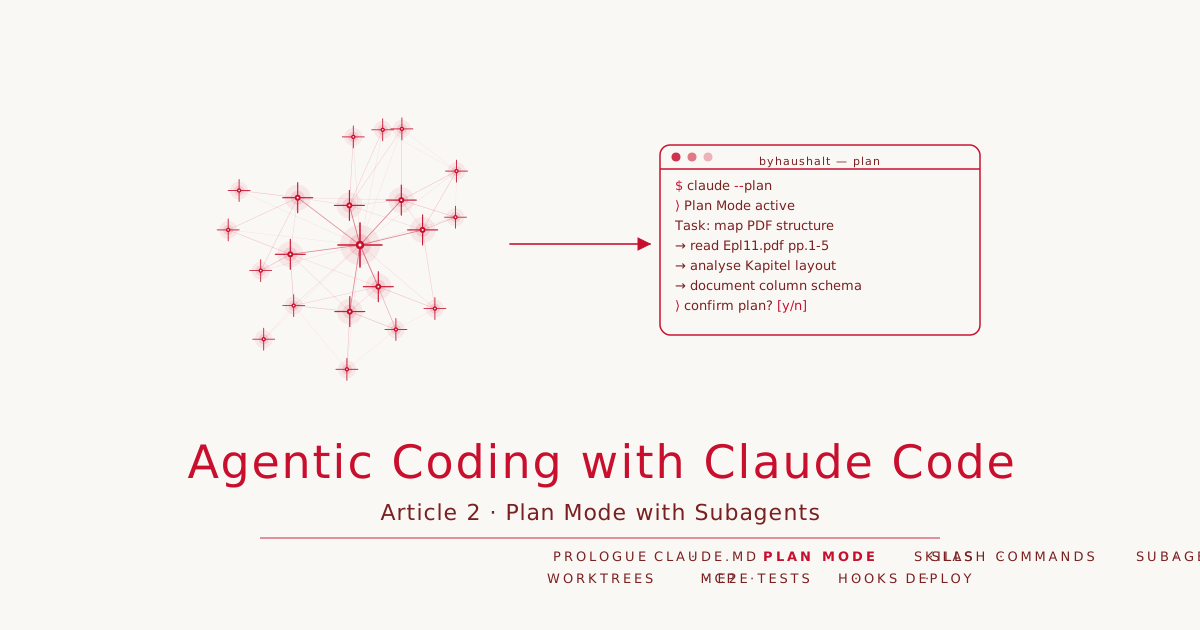
Article 2 · Series: Agentic Coding with Claude Code
The setup from Article 1 is in place: CLAUDE.md with conventions and prohibitions, a permissions file, seventeen official PDFs in daten/, tag v0.1 on Codeberg. The actual work starts now: the Bavarian budget 2026/27 sits as roughly 10,000 pages of tables and annotations, and we want to make it machine-readable.
The obvious next step: open a PDF and start writing a parser. That is exactly the step we did not take.
A PDF looks like a solved problem. It is printed, structured, with page headers, column titles, numbered rows. The model knows what tables are. Why not just parse? — Because without a foundation the agent makes assumptions: column widths stay the same, chapter numbers have no gaps, multi-page tables repeat headers consistently. None of these assumptions is reliable. Build on them and you build on sand.
Plan Mode interrupts this reflex before it produces code.
What Plan Mode Is
Plan Mode is an operating mode of Claude Code in which the agent can read and plan but may not write anything. Read, Bash for read-only commands, Grep, Glob — yes. Write, Edit, anything that changes the repository state — no.
To activate: type /plan in the session input, or press Shift+Tab. Claude Code signals that Plan Mode is active. The output of the session is a plan — no code, no files, no commit. Only when the human explicitly confirms the plan and exits Plan Mode can the agent begin writing.
The practical effect is not the restriction but the deceleration. Plan Mode forces a phase in which the agent describes what it plans to do. If the plan does not fit — wrong assumptions, missing steps, scope too broad — that becomes visible before the first tool call.
A Plan Mode output you wave through “roughly as is” delivers nothing. The value is in the review, not the feature.
Plan Mode on byhaushalt
We activated Plan Mode (Shift+Tab) and then formulated the task. The task is what matters: Plan Mode constrains Claude, but it does not supply direction. Without a precise task, Plan Mode produces a precisely worded plan for the wrong thing.
The prompt we used:
Map the document structure of the PDFs in daten/ — before we write a parser.
Read samples from at least three Einzelpläne of different sizes.
I want to know:

1. Which sections does each Einzelplan have, which are mandatory?
2. How is a Titelübersicht page structured — columns, header, numbering?
3. What happens at page breaks within a Kapitel?
4. Are there patterns that are not consistent across all Einzelpläne?

Output: structured report. No code, no files.
Claude Code produced a plan — no file, no Bash call, just a description of the planned steps:
Plan: PDF structure analysis for byhaushalt

Step 1  Epl11.pdf (30 pp.) — smallest Einzelplan as skeleton sample
        Pages 1–3: title, TOC, foreword
        Pages 6–10: first Titelübersicht + annotations (Kap. 11 01)

Step 2  Epl01.pdf (58 pp.) — comparison for optional sections
        Pages 1–3: compare TOC against Epl11

Step 3  Epl05.pdf (448 pp.) — multi-page tables and Titelgruppen
        Pages 30–35: Kapitel with TG, annotations, Abschluss page

Step 4  Gesamthaushalt.pdf — overview and law text
        Read fully for structural overview

Result: report on page types, column format, multi-page behavior,
inconsistencies across Einzelpläne.
Step 4 was wrong. “Read fully” on 5,272 pages makes no sense — Gesamthaushalt is mostly law text; the structurally relevant overview pages are within the first 60. We corrected the plan before execution:
Adjust Step 4: Gesamthaushalt.pdf first 60 pages only.
We need the TOC and Haushaltsübersicht, not the law text.
That is the review step. Claude Code updated the plan and waited for confirmation. Only then did the actual work begin.
The result of the Plan Mode session was not a parsing script but a structural description:
Every Einzelplan follows the same skeleton: title page, table of contents, foreword, general annotations, then the Kapitel series, then the headcount plan. Four sections are mandatory, six are optional. The order is deterministic.
Chapter numbers have gaps. Epl11 has chapters 11/01, 11/02, 11/04 — no 11/03. Epl01 has 01/01, 01/02, 01/04. A parser that assumes sequential numbering would break on half the plans.
Every Titelübersicht page uses a six-column table:
Titel  | FKZ | Zweckbestimmung | 2026 | 2027 | A/B/C
  1       2         3             4      5       6
Column 6 holds three stacked comparison values: A = Budget 2025, B = Actual 2024, C = Actual 2023 — three lines per table row in the PDF. One logical row in the budget is three lines on the page.
Multi-page chapters repeat the header on each new page: chapter number, chapter name, column headers, column number row. A logical row never spans a page break.
Within a chapter, three page types alternate: Titelübersicht pages (the budget table), Erläuterungen pages (annotations per title, introduced with Zu XX YY/<TitelNr>), and an Abschluss page that aggregates category sums.
Only when this picture was complete did we confirm the plan and write docs/architecture.md.
Dispatching a Subagent
The PDF scan — several files, targeted over specific page ranges, with layout preservation — produces a lot of raw text. Each pdftotext call returns hundreds of lines. Running all samples inline means the main session context fills with raw material before any reasoning has happened.
This is the practical case for an Explore subagent: dispatch the research work into an isolated session, get a compact result back, keep the main context free for decisions.
Dispatching a subagent means instructing Claude Code to execute a sub-task in an isolated session. This can happen explicitly — you write in the prompt that a subagent should be used — or Claude Code decides on its own when the task is formulated in a way that makes delegation obvious.
For the deep inspection of Epl05, we made it explicit:
Send an Explore subagent for Step 3:
Read Epl05.pdf pages 30–35 using pdftotext -layout.

The subagent should report:
- Column headers of the Titelübersicht (exact wording)
- How A/B/C values are arranged per table row in the text
- Whether the Kapitel header repeats on page 31
- What the "Summe der Titelgruppe" line contains directly

Return: structured report. No raw text, no explanations beyond that.
The subagent executed the task, analysed hundreds of lines of pdftotext output, and returned a compact report. That report flowed into the main context — not the raw text.
The quality of the subagent result depends directly on the quality of the brief. A vague task produces a vague report:
# Too vague — the agent decides what is relevant:
"Look at Epl05 and tell me how it is structured."

# Precise — clear questions, clear output format:
"Read Epl05.pdf pages 30–35. Report column headers, A/B/C arrangement,
header reprint at page breaks. Structured report, no raw text."
The subagent decides how to solve the task (tool choice, sequence). The decision about what the result means stays in the main context.
When not to use a subagent: if the research fits in a few tool calls and the result is used directly, the isolation is not worth it. Subagents carry overhead — context passing, spawning, result aggregation. They pay off when the research volume justifies it, or when multiple independent research tasks can run in parallel.
TodoWrite
TodoWrite is the tool Claude Code uses to track tasks within a session — marking steps as in_progress, completed, or pending, maintaining state across longer sequences.
For the Plan Mode session at byhaushalt, we did not use it. The task was clearly bounded: sample four PDFs, map the structure, output the plan. Single session, unambiguous completion criterion. TodoWrite would have been administration without value.
It makes sense in sessions with six or more interdependent steps, or when a session is interrupted and the next start needs to reconstruct context. As a project management tool for simple sequences it is overdimensioned.
docs/architecture.md
The output of the Plan Mode session is docs/architecture.md. The file contains:
- Source data inventory: all 17 PDFs with page count, file size, and ministry name
- Data hierarchy: Gesamthaushalt → Einzelplan → Kapitel → Titelgruppe → Titel
- Einzelplan document skeleton with mandatory and optional sections
- Three Kapitel page types with header formats and column specifications
- Multi-page table behavior (header reprint, no row spanning page breaks)
- Target data model as a Markdown schema: all fields of the Titel record with types and nullable flags
- Three open questions for Article 3: section detection via text recognition vs. title number heuristic, multi-line Zweckbestimmungen, and provisional Einzelpläne
The open questions belong there. Part of the value of Plan Mode is naming what you do not yet know — the places where the parser in Article 3 could fail if they are not addressed.
179 lines of Markdown, no code.
docs/adr/001-stack-choice.md
The second output is the Architecture Decision Record for the tech stack.
An ADR in Michael Nygard’s format has four sections: Status, Context (why a decision is needed), Decision (what is chosen and why), Consequences (trade-offs accepted). It is neither a README nor a tutorial — it is a decision record with the reasoning that made the decision defensible at the time it was made.
For byhaushalt: Python 3.12 + uv + pdfplumber + polars + Parquet/JSON manifest.
The ADR names what was rejected:
- PyMuPDF: faster, but the AGPL license requires attention for an openly published project
- tabula-py: requires a Java runtime, weaker structural recognition
- pandas over polars: polars’ lazy API and Rust core give a measurable advantage for the aggregation queries needed in cross-validation
- SQLite over Parquet: overdimensioned for a read-only dataset; Parquet is stateless and browser-compatible
An ADR without rejected alternatives is a preference statement, not a decision record. Without the rejected options, three months from now there is no way to tell whether the decision was right for the constraints that existed at the time.
State at the End of This Article
git clone https://codeberg.org/rotecodefraktion/byhaushalt.git
cd byhaushalt
git checkout v0.2
The full state is at byhaushalt @ v0.2.
Tag v0.2 marks a commit with 263 lines of Markdown documentation and zero lines of application code. That is not an intermediate state — that is the value of this phase. Whoever writes a parser from here writes it on a mapped foundation. Whoever skips the phase writes it on assumptions.
Sharpening CLAUDE.md
The Plan Mode session mapped the source data. It also made clear what CLAUDE.md was still missing: the conventions and prohibitions from Article 1 describe the what — language, stack, directories. For the implementation phase starting in Article 3, the agent also needs the how.
Parser code is not a trivial task. The agent makes judgment calls: how much should one function do? Should it guess when something is unclear, or ask? Is it allowed to improve adjacent code while it is already editing? Without answers to these questions, the agent fills the gaps with defaults that do not always fit.
We added a new section ## Arbeitsweise (Working Principles):
- Before coding: state assumptions explicitly. When unclear, ask — do not guess.
  When multiple interpretations exist, present the options rather than choosing silently.
- Minimum that solves the problem: no speculative features, no abstraction for
  single-use code, no error handling for impossible cases.
- Surgical changes: touch only what the task requires.
  Clean up your own changes; leave pre-existing dead code alone.
- Goal-driven execution: define success criteria before implementing.
  For multi-step tasks, state a brief plan — one verification per step.
These rules were committed after tag v0.2 — anyone who runs git checkout v0.2 gets the old CLAUDE.md. The new working principles section is on main and applies from the first parser commit onward.
Where We Go Next
The next article produces the first parser skill with pytest and test-driven development. The data hierarchy from docs/architecture.md provides the context: what an Einzelplan is, what a Kapitel is, what a Titel is — the agent no longer needs to be told. It is in the repository.
How CLAUDE.md and the permissions model lay the groundwork is covered in Article 1.
