Slash Commands — Automating Repetition Away
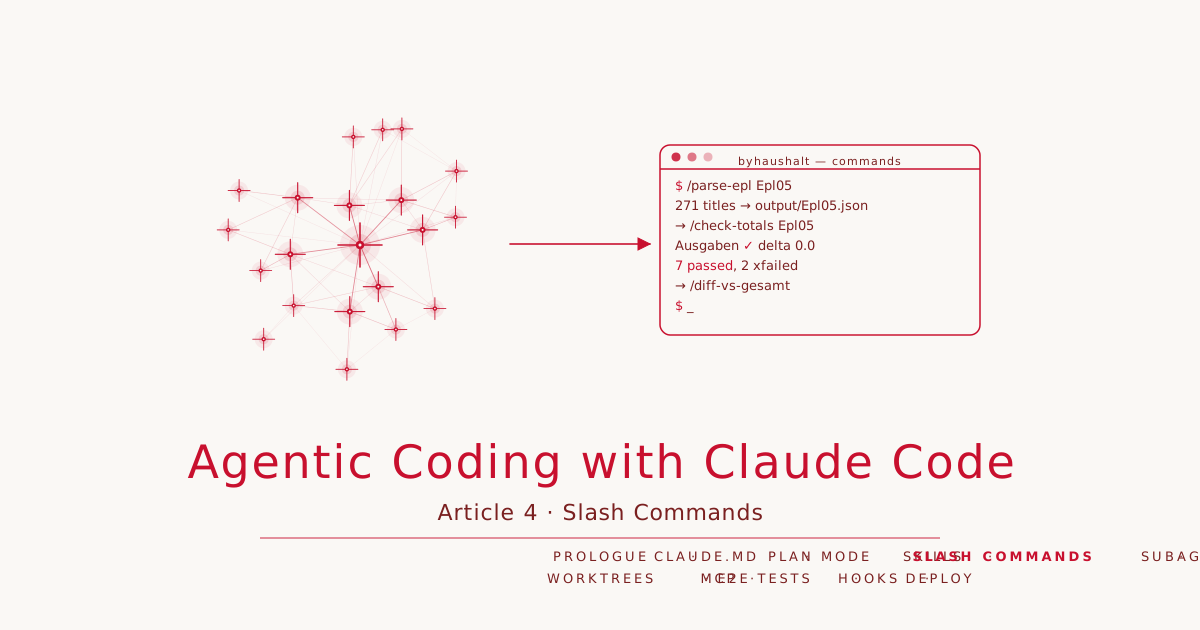
Article 4 · Series: Agentic Coding with Claude Code
v0.3 has a working parser — but only for Epl11. Sixteen Einzelpläne sit in daten/, and running the same sequence by hand for each — invoke parser, write JSON, check sums — is exactly what Claude Code is supposed to replace. The tool for this is slash commands.
Slash Command, Skill, or Direct Prompt
Three tools, three contexts. The distinction is precise:
Direct prompt — for one-off, non-repeatable tasks. Works when the context is clear and the step is not needed again.
Skill — defines how to approach a task: workflow, tools, verification criteria. Claude Code loads it automatically when the situation matches. The parse-haushalt skill from Article 3 describes which tests must be green, which PDF pages to parse, and which to skip.
Slash command — defines what gets executed, with a fixed argument, a defined output, and a built-in closing step. It is called /parse-epl Epl05, not “please parse Epl05 now”. The execution is deterministic — whoever calls /parse-epl Epl11 and /parse-epl Epl05 gets the same workflow with different arguments.
Commands and skills are not mutually exclusive. /parse-epl calls /check-totals at the end — command composition. /check-totals calls uv run pytest — skill knowledge about verification, built into a command.
The First Command: /parse-epl
File structure
Slash commands live at .claude/commands/<name>.md. The content is a prompt template — $ARGUMENTS is replaced by the argument at call time.
Creation prompt
Create .claude/commands/parse-epl.md.
The command takes $ARGUMENTS as the Einzelplan name (e.g. Epl05).
Workflow:
1. Check that ../daten/$ARGUMENTS.pdf exists — on failure list available files
   and abort.
2. cd parser && uv sync --extra dev
3. extract_titles from daten/$ARGUMENTS.pdf, write JSON to output/$ARGUMENTS.json,
   serialize Decimal as float.
4. Output: title count, first 3 title numbers.
5. Then run /check-totals $ARGUMENTS.
Scope: Titelübersicht pages only.
First run
/parse-epl Epl05
Claude Code opens .claude/commands/parse-epl.md, substitutes $ARGUMENTS = "Epl05", and executes the workflow. Output:
448 pages — starting extraction...
271 titles → parser/output/Epl05.json
First entries: ['111 01-0', '119 49-4', '119 49-6']
→ /check-totals Epl05
The command invocation is shorter than any prompt that describes the same thing — and it is repeatable.
Argument Handling
$ARGUMENTS is the string that follows the command name. For /parse-epl Epl05, $ARGUMENTS = "Epl05". For /parse-epl Epl05 --verbose, $ARGUMENTS = "Epl05 --verbose" — the command decides how to process it further.
The first thing every command does: validate the argument.
1. Check that ../daten/$ARGUMENTS.pdf exists. If not:
   error message + list available files → abort.
These two lines prevent the command from running silently with an empty or wrong argument and leaving behind an empty JSON. Validation costs two prompt lines and saves silent failure.
/check-totals — Verification Built Into the Command
/check-totals Epl11 reads parser/output/Epl11.json, calculates sums, compares against the reference table in the command body, then calls uv run pytest tests/ -v:
/check-totals Epl11
Output:
  Ausgaben  2026:     47,379.0 Tsd. €  ✓ (ref 47,379.0, delta 0.0)
  Einnahmen 2026:         11.9 Tsd. €  ✓ (ref 11.9, delta 0.0)

7 passed, 2 xfailed in 0.37s
→ Green. Can be committed.
Why does verification sit in the command and not in the skill? The parse-haushalt skill describes workflow and criteria — it is generic. /check-totals is specific: it checks exactly this Einzelplan, against exactly this reference table, with exactly this test run. The reference values for Epl11, Epl01, and Epl16 live directly in the command file — where they are needed, not in CLAUDE.md.
/diff-vs-gesamt — Commands Calling Commands
/diff-vs-gesamt
This command takes no argument. It reads all parser/output/Epl*.json files, sums expenditure and revenue per Einzelplan, and outputs a table:
Epl   | Titles | Ausgaben 2026 (Tsd. €) | Einnahmen 2026 (Tsd. €)
------|--------|------------------------|------------------------
Epl05 |    271 |         5,399,366.2   |                  42.0
Epl11 |     81 |            47,379.0   |                  11.9
Epl01 |    138 |           183,477.8   | ⚠ xfail           756.5
Epl16 |    158 |           121,804.4   | ⚠ xfail         2,111.6
...
Total: X parsed Epls | Σ Ausgaben Y | Σ Einnahmen Z
Reference Gesamthaushalt 2026: 84,647,400 Tsd. € (formal expenditure volume)
Missing: A Einzelpläne — run /parse-epl EplNN for each.
The composition: /diff-vs-gesamt internally calls /check-totals for known reference Epls before outputting the full table. A command that knows it summarises another task delegates the partial check.
All Einzelpläne — What the Commands Reveal
The loop across all 16 Einzelpläne surfaces the first real problem. We run /parse-epl for Epl01 and Epl16 and then call /check-totals:
/parse-epl Epl01
→ /check-totals Epl01
Output:
  Ausgaben  2026:    183,477.8 Tsd. €  ✗ (ref 219,371.8, delta -35,894.0)
  Einnahmen 2026:        756.5 Tsd. €  ✗ (ref 1,258.5, delta -502.0)

7 passed, 2 xfailed in 0.37s
→ Red. Sums diverge — no commit.
The command makes the failure explicit: 35,894 Tsd. € of expenditure are missing. The test suite shows xfailed for Epl01 — meaning: this failure is known, documented, and not yet fixed.
The cause, found by inspecting the parser: on_titelseite is set to False whenever the word “Abschluss” appears anywhere in a line — including inside a Zweckbestimmung like “Rechnungsabschluss”. This prematurely stops Titelübersicht detection. All titles after that line until the next Kapitel header are missing from the output.
For Epl16, a second issue appears: revenue chapters with a slightly different header format are not recognised at all — 1,870 Tsd. € of revenue go missing.
# xfail — known gap, v0.5
pytest.param("Epl01", Decimal("219371.8"), Decimal("1258.5"),
             marks=pytest.mark.xfail(reason="Parser gap: not all Kapitel recognised — v0.5"),
             id="Epl01"),
xfail in pytest serves two purposes: it prevents a known failure from turning the suite red. And it requires that the failure be explicitly documented — with reason and version. When v0.5 fixes the parser, these tests will automatically move from xfailed to passed.
State at the End of This Article
git clone https://codeberg.org/rotecodefraktion/byhaushalt.git
cd byhaushalt
git checkout v0.4
Full state at byhaushalt @ v0.4.
v0.4 contains: three slash commands, extended test suite (7 passed, 2 xfailed), JSON output for Epl11, Epl01, and Epl16. The xfail markers document what v0.5 has to repair.
Where We Go Next
The next article covers Subagent-Driven Development. The parser gap from v0.4 is not fixed manually — instead, multiple parallel subagents investigate and repair it. Each agent receives one Einzelplan, analyses its Kapitel types, and returns a structured report. The result lands in a new commit.
How the custom skill and TDD loop were built in v0.3 is covered in Article 3. The PDF structure analysis with Plan Mode is in Article 2.
