The interactive terminal session
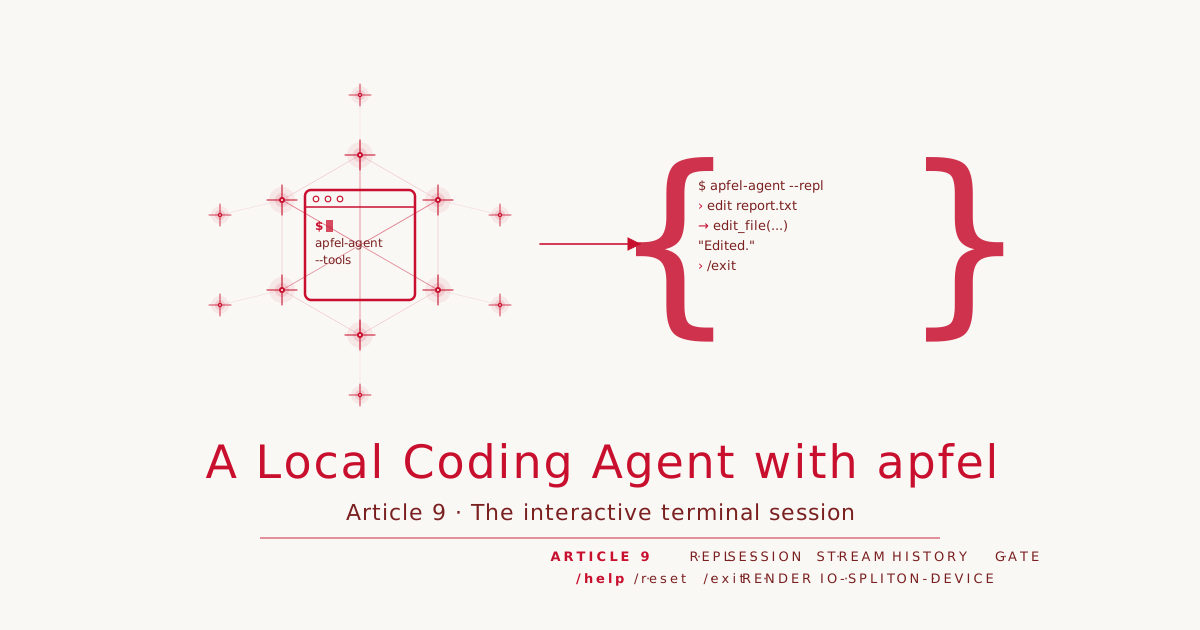
Article 9 · Series: A Local Coding Agent with apfel
So far the agent is a one-shot command: one prompt in, one answer out, done. A tool you work with is something else. It holds a conversation, keeps the history, lets you follow up and correct. This article turns the command into an interactive session. The real difficulty is not the loop but testability: a terminal interface that reads and writes directly is hard to check automatically. The key is a clean separation. The state is frozen as tag v0.9.
A lean REPL, not a full screen
We build a line-oriented REPL, not a full-screen interface with its own screen and cursor control. There are reasons. A line-oriented session needs no external dependency, runs robustly over pipes and in tests, and the model’s token stream fits naturally with line-by-line output. A full-screen TUI would be more impressive but costly and hard to test. For a tool that should above all be reliable, the lean variant is the right one.
Separating render logic from I/O
The principle that makes the whole interface testable is simple: what is shown and how it is shown are two different things. The render logic forms strings and never touches the terminal. It is a set of pure functions:
public enum Renderer {
    public static let inputPrompt = "› "

    public static func welcome(model: String) -> String {
        """
        apfel-agent — interactive session (model: \(model))
        Type your request. /help for commands, /exit to quit.
        """
    }

    public static func toolCall(name: String, arguments: String) -> String {
        "→ \(name)(\(arguments))"
    }
}
Because these functions only take strings and return strings, they can be checked without any terminal involved. The diff and the y/n/a confirmation we deliberately do not re-render here; the TerminalGate from Article 5 handles that.
The REPL loop
The session itself owns the loop and the conversation history, but not the input and output. Reading a line, writing, and producing an answer are injected closures. That is what makes the session testable: in the test we drive it with scripted input and a fake backend, in the CLI we wire in the real terminal and the agent.
public struct Session: Sendable {
    public typealias ReadLine = @Sendable () async -> String?
    public typealias Write = @Sendable (String) async -> Void
    public typealias Respond = @Sendable (_ history: [ChatMessage], _ emit: @Sendable (String) async -> Void) async throws -> String

    public func run() async {
        await write(Renderer.welcome(model: model))
        var history: [ChatMessage] = []

        while let line = await readLine() {
            let input = line.trimmingCharacters(in: .whitespacesAndNewlines)
            if input.isEmpty { continue }

            switch input {
            case "/exit":  return
            case "/help":  await write(Renderer.help); continue
            case "/reset": history.removeAll(); await write("(history cleared)"); continue
            default:       break
            }

            history.append(ChatMessage(role: "user", content: input))
            history = context.trim(history)
            do {
                let answer = try await respond(history) { chunk in await write(chunk) }
                history.append(ChatMessage(role: "assistant", content: answer))
                await write("\n")
            } catch {
                await write("Error: \(error)")
            }
        }
    }
}
Streaming the output cleanly
A model’s answer arrives token by token. A session that waits for the full answer and then dumps it all at once feels dead. So the respond closure passes each chunk outward through emit as it receives it, and returns the full text at the end. The session writes the stream directly; it needs the return value only for the history:
let answer = try await respond(history) { chunk in await write(chunk) }
history.append(ChatMessage(role: "assistant", content: answer))
Wiring it in the CLI
The session knows only its three closures. They gain meaning only in the CLI: readLine writes the input line and reads from stdin, write writes to stdout, and respond produces a turn’s answer. The same Session object that ran against a fake backend in the test talks to the real model here:
let session = Session(
    model: client.model,
    readLine: {
        FileHandle.standardOutput.write(Data(Renderer.inputPrompt.utf8))
        return Swift.readLine()
    },
    write: { text in FileHandle.standardOutput.write(Data(text.utf8)) },
    respond: { history, emit in try await turn(history, emit) }
)
await session.run()
What happens in turn is the actual point, and it picks up the lesson from Article 7.
Routing edits, not guessing them
There is a trap here. The obvious way to build a turn is a tool round-trip from Article 4: the model gets all the tools, including write_file and edit_file, and chooses freely. But that free choice is exactly what Article 7 measured as unreliable at editing. A session that offers editing and lets the model guess again would fall behind its own series.
So every turn is routed. If the input is an edit request, it goes through the constrained EditFlow from Article 7; everything else — reading, listing, explaining, running a command — through a tool round-trip with read-only tools:
let files = currentFiles(in: sandbox.root)
if await classifier.isEditRequest(task, files: files) {
    let result = try await editFlow.run(task: task)   // constrained, Article 7
    await emit(result)
    return result
}
// else: read_file, list_dir, run_shell — free tool-calling is fine here
let result = try await readOnlyRoundTrip.run(history)
The classification is a short constrained call that decides whether the request changes a file’s content. It is deliberately folded into a concrete context, the file list and the request. A standalone meta-question “is this an edit?” would be blocked by Apple’s guardrails, the same side finding as in Article 7. Folded in, it goes through, and in measurement it separates edit from non-edit reliably. So the interface serves the same lesson we worked out, instead of bypassing it.
Writing covers more than changing. If the request wants a new file, there is no old content for an {old, new} edit. So the EditFlow checks whether the target file exists. If not, it generates the full content through a constrained {content} schema and creates the file, with a diff against empty and the same gate. From the user’s side, “create a file with X” is also a write request, and the constrained path covers both cases, the change and the creation.
Diff and gate in the session
As soon as the agent wants to write or execute in the session, the same safeguard applies as in one-shot mode. The TerminalGate from Article 5 shows the diff and asks [y]es / [n]o / [a]lways inline, in the middle of the conversation. The session does nothing special for it; it passes the TerminalGate to the tools, and the human decides at the same place where they read and type anyway. The confirmation is not a break in the flow but part of it.
History and context budget across turns
The difference from the one-shot variant is the held state. Each turn appends the user input and the answer to the history, and the next turn sees everything that came before. So this growing history does not blow the 4096-token window, it runs through the ContextManager from Article 8 before each turn. A test pins down that the history is kept across turns:
@Test("history is kept across turns")
func historyKept() async {
    let rec = Recorder()
    await makeSession(["first", "second", "/exit"], rec).run()
    let second = await rec.histories[1]
    #expect(second.count == 3)
    #expect(second.first?.content == "first")
    #expect(second.last?.content == "second")
}
On the second turn the history holds three messages: the first input, the first answer, the second input. The session remembers.
Session commands and quitting
Three commands steer the session itself instead of going to the model. /help shows the commands, /exit ends the session, and /reset clears the history without leaving the session. The last is useful when the conversation has run into a dead end or the context window is full of old baggage. A test checks that after /reset the next turn sees only itself:
@Test("/reset clears the history")
func resetClears() async {
    let rec = Recorder()
    await makeSession(["first", "/reset", "second", "/exit"], rec).run()
    let afterReset = await rec.histories.last
    #expect(afterReset?.count == 1)
    #expect(afterReset?.first?.content == "second")
}
Tests without a terminal
The whole effort with the injected closures pays off here. We check the render functions by pinning their strings, with no terminal at all. We check the session by wiring in a ScriptedInput with given lines and a fake backend that records the received history and returns a fixed answer. So we can make claims that would barely be checkable with direct terminal output: that the greeting appears, that /exit ends without a model call, that an empty line is ignored, that the history holds. None of these tests opens a terminal.
Demo repo: apfel-coding-agent v0.9
The state of this article is frozen as tag v0.9: https://codeberg.org/rotecodefraktion/apfel-coding-agent/src/tag/v0.9
Try the session
Check out the tag:
git clone https://codeberg.org/rotecodefraktion/apfel-coding-agent.git
cd apfel-coding-agent
git checkout v0.9
New in v0.9 over v0.8:
Sources/AgentCore/TUI/Renderer.swift— pure render logicSources/AgentCore/TUI/Session.swift— the REPL loop--replin the CLI
Build, test, start a session against a running apfel (own port, since Ollama takes the default):
swift build
swift test                        # offline, no apfel needed
apfel --serve --port 11509 &
swift run apfel-agent --repl --workdir /tmp/work --base-url http://127.0.0.1:11509
Then type, see the commands with /help, quit with /exit. The unit tests check render logic and session state offline against a fake backend, no running apfel needed.
What remains
The interface stands. The agent has gone from a command to a session that holds a conversation, streams, and uses its tools with confirmation, all locally. So far these tools are hand-written: read_file, write_file, run_shell and the edit workflow. In the next step we open the agent to tools we do not build ourselves, via the Model Context Protocol.
Previous article: The agent loop with a done-check. Next article: Tools the agent doesn’t write: MCP. Repo tag: v0.9.
