The First Hour with Claude Code: From an Empty Folder to a Tested Script
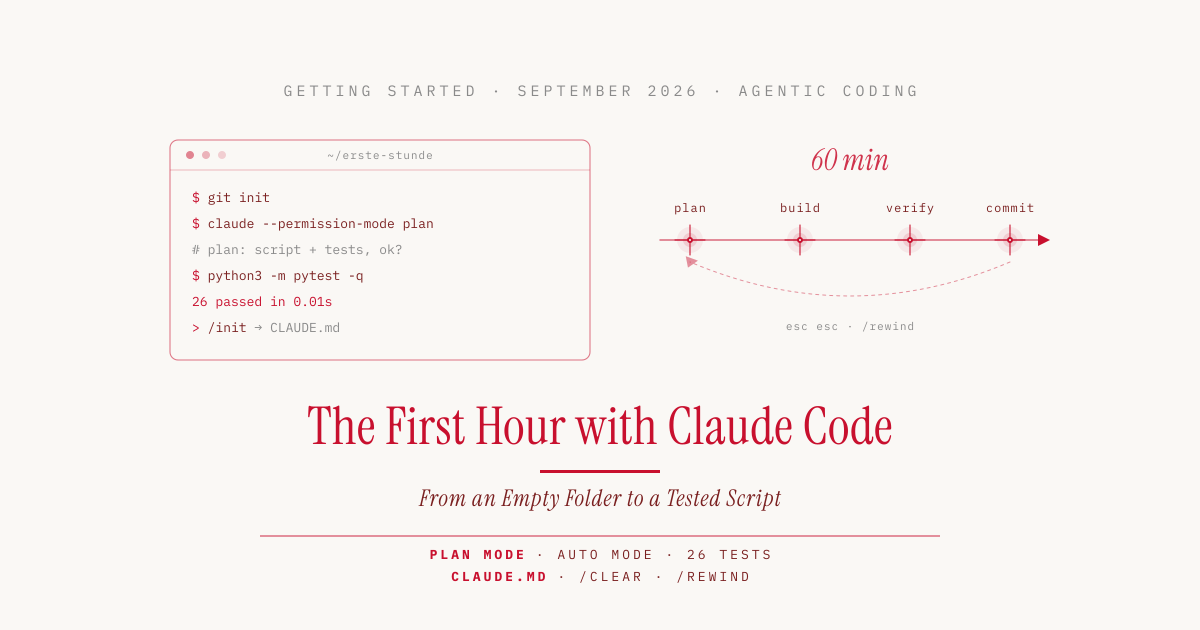
A chatbot hands you code that you have to copy, paste, and try out yourself. A coding agent does that on its own. It reads the files in the project, creates new ones, runs tests, and corrects itself when something fails. Claude Code is such an agent. The first hour shows how much of the work we want to leave to it.
Let’s walk through that first hour with a small example: a Python script that analyzes a household budget. All output, numbers, and costs in this article come from a real run. The concept behind it is covered in more depth in the prologue of the Agentic Coding series.
Installation and Login
Claude Code runs in the terminal, on the command line. On a Mac we open it via Spotlight (Cmd+Space, then type “Terminal”). According to the docs, Anthropic recommends the native installer, which keeps itself up to date. On macOS and Linux, one line is enough:
curl -fsSL https://claude.ai/install.sh | bash
On Windows, the command irm https://claude.ai/install.ps1 | iex works in PowerShell. Homebrew and npm are supported as well, but they do not update themselves.
To log in, we start claude once and the browser opens for the login. According to the authentication docs, the Pro, Max, Team, and Enterprise plans work, as does an API account billed per token, meaning the word fragments that language models split text into. The free claude.ai plan is not enough. For getting started, a Pro or Max plan is the simplest option, because there is no bill per request, only usage limits.
A Git Repo as a Safety Net
Before the agent gets going, the project belongs under version control. Git saves snapshots, called commits, that we can return to at any time if the agent breaks something. Our starting point was an empty folder with a single file. The CSV, a simple table stored as a text file, contains twelve expenses from July and August. The data is German, so it uses semicolons as separators and a decimal comma. Anyone following along saves this content with a text editor as ausgaben.csv in the folder:
datum;kategorie;betrag
2026-07-02;Lebensmittel;54,30
2026-07-05;Miete;950,00
2026-07-09;Lebensmittel;38,75
2026-07-14;Freizeit;42,00
2026-07-21;Lebensmittel;61,20
2026-07-28;Mobilität;49,00
2026-08-01;Miete;950,00
2026-08-04;Lebensmittel;47,90
2026-08-11;Freizeit;120,00
2026-08-15;Mobilität;49,00
2026-08-19;Lebensmittel;52,15
2026-08-30;Freizeit;18,50
The columns are date, category, and amount. The categories are groceries (Lebensmittel), rent (Miete), leisure (Freizeit), and transport (Mobilität). Next, we turn the folder into a Git repo and the file into the first commit:
mkdir erste-stunde && cd erste-stunde
git init
git add ausgaben.csv && git commit -m "Beispieldaten"
Claude Code can roll back its own changes, but not all of them. Git helps where rolling back is not enough.
The Test Setup
To record every response together with its duration and cost, we ran the steps through claude -p, the non-interactive mode. We started the planning step with --permission-mode plan and continued the next two steps in the same session with -c. In the normal terminal it looks different, but the flow is the same. According to claude --help, --safe-mode disables your own customizations such as CLAUDE.md, skills, plugins, and hooks. It does not reset the model choice. The run therefore used Claude Fable 5.1, which is preset in our settings, rather than the default model (more on this in the cost section). The prerequisites are Python 3 and pytest, a widely used testing tool for Python. If pytest is missing, we install it with python3 -m pip install pytest.
| Machine | Mac, macOS |
| Claude Code | version 2.1.280 |
| Account | Max plan |
| Model | Claude Fable 5.1 (own preset) |
| Project | Python 3.12, pytest, no other packages |
| Steps | four calls, on September 24, 2026 |
Plan First, Then Build
When using Claude Code for the first time, it is better not to let the agent start right away. In Plan Mode, Claude reads the project, drafts a plan, and waits for approval before it changes a single file. In interactive mode, Shift+Tab switches to it. Our request was deliberately phrased the way a beginner would put it (translated from German):
There is a file ausgaben.csv in this folder with my household expenses. Write a Python script that summarizes the expenses per month and category and prints them as a table. With tests (pytest), please.
The answer came after just under a minute. Claude had read the CSV and recognized on its own that it uses semicolons as separators and a German decimal comma. It had checked that pytest was installed and the data analysis library pandas was not, and therefore planned with only what Python ships with. The plan proposed a script made of small, individually testable functions, a test file, and even the expected output:
Monat    | Freizeit | Lebensmittel |   Miete | Mobilität |  Gesamt
---------+----------+--------------+---------+-----------+--------
2026-07  |    42,00 |       154,25 |  950,00 |     49,00 | 1195,25
2026-08  |   138,50 |       100,05 |  950,00 |     49,00 | 1237,55
Gesamt   |   180,50 |       254,30 | 1900,00 |     98,00 | 2432,80
We checked the totals by hand. They are correct. A good plan costs a minute and saves cleaning up a solution that went in the wrong direction. Part 2 of the series covers this in more detail.
Auto Mode Is Already On
With “Looks good, please implement the plan.” we approved the implementation without explicitly granting the agent any permissions. We had expected it to stall at the points where it wants to write files or run tests. Instead, it created three files, ran pytest, and reported after a minute that “all 21 tests pass”.
The reason is in the log that Claude Code keeps for every session under ~/.claude/projects/. It records the mode as auto. According to the docs, that is the default on Pro, Max, and Team plans. In auto mode, Claude Code no longer asks the human but a second model, a classifier that reviews every action and blocks risky ones. That is convenient. It also means a beginner may not even notice what the agent executes in their first session.
The modes at a glance, according to the docs:
| Mode | What runs without asking | Use it for |
|---|---|---|
default (Manual) | reading only | reviewing every action yourself |
acceptEdits | reading, editing files, simple file commands | iterating on code you review |
plan | reading, plus commands checked by the classifier, no file changes | understand first, then build |
auto | everything, reviewed by the classifier | long tasks without constant prompts |
bypassPermissions | everything, without any review | isolated test environments only |
For the first sessions, we recommend switching to Manual mode with Shift+Tab and confirming every action once yourself. After a few runs you know what the agent typically does and can then switch to Auto deliberately. The bypassPermissions mode, reachable through the --dangerously-skip-permissions flag, is best not used on your own machine at all.
Verify Instead of Trust
“21 tests pass” is a claim made by the agent. Let’s check it ourselves:
$ python3 -m pytest -q
21 passed in 0.01s

$ python3 ausgaben.py gibtsnicht.csv
Datei nicht gefunden: gibtsnicht.csv
The tests ran, the output matched the plan, and a missing file led to an understandable error message (“file not found”). The generated script has 147 lines, the tests 172. It calculates with Decimal instead of floating-point numbers, so 0.1 plus 0.2 does not become 0.30000000000000004. An experienced developer would have done the same. The function that converts German-formatted amounts looks like this:
def parse_betrag(text: str) -> Decimal:
    """Wandelt einen deutsch formatierten Betrag ("1.234,56") in ein Decimal um."""
    bereinigt = text.strip().replace(".", "").replace(",", ".")
    ...
    return Decimal(bereinigt)
This check is not overcaution. Language models can be wrong even when they sound convinced, and a passing test only proves what the test checks. If you cannot read the code yourself, at least run the tests yourself and compare the result with your own examples. After that, the current state goes into a commit:
git add -A && git commit -m "Ausgaben-Auswertung mit Tests"
A Second Round
In the same session, we asked for an extension: “Add an option –kategorie that shows me only one category, for example –kategorie Lebensmittel. Don’t forget the tests.” Claude added the option, wrote five more tests, and also handled the case of a category that does not exist. git diff --stat, which lists the files changed since the last commit, showed exactly two files. pytest reported 26 passing tests, and this state went into a commit as well.
$ python3 ausgaben.py --kategorie Lebensmittel
Monat   | Lebensmittel | Gesamt
--------+--------------+-------
2026-07 |       154,25 | 154,25
2026-08 |       100,05 | 100,05
Gesamt  |       254,30 | 254,30
In the terminal, we resume the last session with claude -c and pick an older one from a list with claude -r.
CLAUDE.md with /init
The /init command creates a file called CLAUDE.md. Claude Code reads it at the start of every session and thus knows the project’s rules without us having to repeat them every time. In our case it came to 33 lines with the commands for running and testing, the structure of the script, and the conventions that the tests lock in (the generated file is in German):
- **Beträge sind immer `Decimal`**, nie `float`.
- **Tabellenformat** ist exakt getestet [...]. Änderungen an der
  Ausgabe erfordern Anpassung der Tests in `test_ausgaben.py`.
The two rules say that amounts are always Decimal, never float, and that the table format is tested exactly, so changing the output requires updating the tests. Claude guessed the purpose of the project from the folder name, since it had nothing else to go on. The generated file is a good start, no more. It gave the repo its fourth commit. What belongs in a good CLAUDE.md and what does not is covered in Part 1 of the series.
Undoing Changes
If the agent heads in the wrong direction, pressing Esc stops it. Pressing Esc twice with an empty prompt, or the /rewind command, opens a menu, according to the docs, that resets code and conversation to an earlier state. Claude Code automatically creates a checkpoint before every prompt for this.
The docs also name the limit. Changes made through terminal commands, such as deleted or moved files, cannot be recovered this way. Anything that happens outside the machine, such as a git push, stays as well. That is why every larger task should start with a commit, and why Git came at the beginning of this article.
2.53 Euros for the First Hour
| Step | Mode | Duration | Cost at API list prices |
|---|---|---|---|
| Plan | plan | 54.4 s | €0.40 |
| Implementation | auto | 57.9 s | €0.77 |
| Extension | auto | 35.3 s | €0.97 |
| /init (new session) | auto | 44.3 s | €0.39 |
| Total | 3 min 12 s | €2.53 |
The costs are the amount Claude Code would have charged for the same calls through an API account, converted at the ECB rate of September 22, 2026 (€1 = $1.1463). Through the Max plan, the run cost nothing extra; it only counted against the usage limits. The /usage command shows your own consumption. The agent’s compute time was just over three minutes; the rest of the hour went to installation, reading, and checking.
Each step in the same session got more expensive. The session data shows why. Claude Code read about 81,000 tokens while planning, 133,000 during implementation, and 194,000 during the extension, because the conversation so far is sent along every time. /init ran in a new session and read only 114,000 tokens. When starting a new, unrelated task, it is therefore worth opening a fresh conversation with /clear. That saves money and keeps old context, meaning everything the model still has in view from the conversation so far, from confusing the new task.
These costs apply to Claude Fable 5.1, Anthropic’s most capable generally available model (more on Fable), which is preset in our settings. Without a setting of your own, Claude Code starts with Opus 5.5 on Pro, Max, Team, and Enterprise plans and with an API account, according to the docs. According to the price list, Fable costs two and a half times as much per token as Opus 5.5 and uses up a plan’s usage limit correspondingly faster. With the same token usage, the same run on Opus 5.5 would have cost roughly €1. We did not measure that; Opus may need more or fewer tokens for the same task. For a project of this size, the default model is enough, and a Pro plan will do. /model switches the model, and /effort sets the thinking depth from low to max. How strongly the thinking depth affects costs is shown in our cost comparison of Opus 5.5 and Opus 5.
The Most Important Commands to Start With
| Command or key | Effect |
|---|---|
claude | start a session in the current folder |
| Shift+Tab | switch mode (Manual, Accept Edits, Plan, Auto) |
| Esc | interrupt Claude |
Esc Esc or /rewind | reset code and conversation |
/init | create a CLAUDE.md for the project |
/clear | new conversation with empty context |
/compact | summarize the history to save space |
/model, /effort | choose model and thinking depth |
/usage | show consumption and limits |
claude -c, claude -r | resume the last session, pick an older one |
/help | show all commands |
The Pattern for Larger Projects
After the first hour, we have a working script, 26 tests, a CLAUDE.md, and four commits in the repo. The pattern behind it stays the same for larger projects: let it plan, approve, check the result yourself, commit. For going further, the Agentic Coding series covers the next tools, from custom skills and subagents to hooks that automatically format code or run tests after changes.
The agent writes the code. The responsibility for it stays with whoever approves it.
Sources
- Claude Code, Quickstart: code.claude.com/docs/en/quickstart
- Claude Code, Setup: code.claude.com/docs/en/setup
- Claude Code, Authentication and supported accounts: code.claude.com/docs/en/authentication
- Claude Code, Permission modes: code.claude.com/docs/en/permission-modes
- Claude Code, Checkpointing and rewind: code.claude.com/docs/en/checkpointing
- Claude Code, Model configuration and default model: code.claude.com/docs/en/model-config
- Claude Code, Commands: code.claude.com/docs/en/commands
- Anthropic, Model pricing: platform.claude.com/docs/en/about-claude/pricing
- Claude Code, Keyboard shortcuts in interactive mode: code.claude.com/docs/en/interactive-mode
- Own run: four calls via Claude Code 2.1.280 on a Max plan with Claude Fable 5.1, September 24, 2026