Hello Hummingbird — The Skeleton
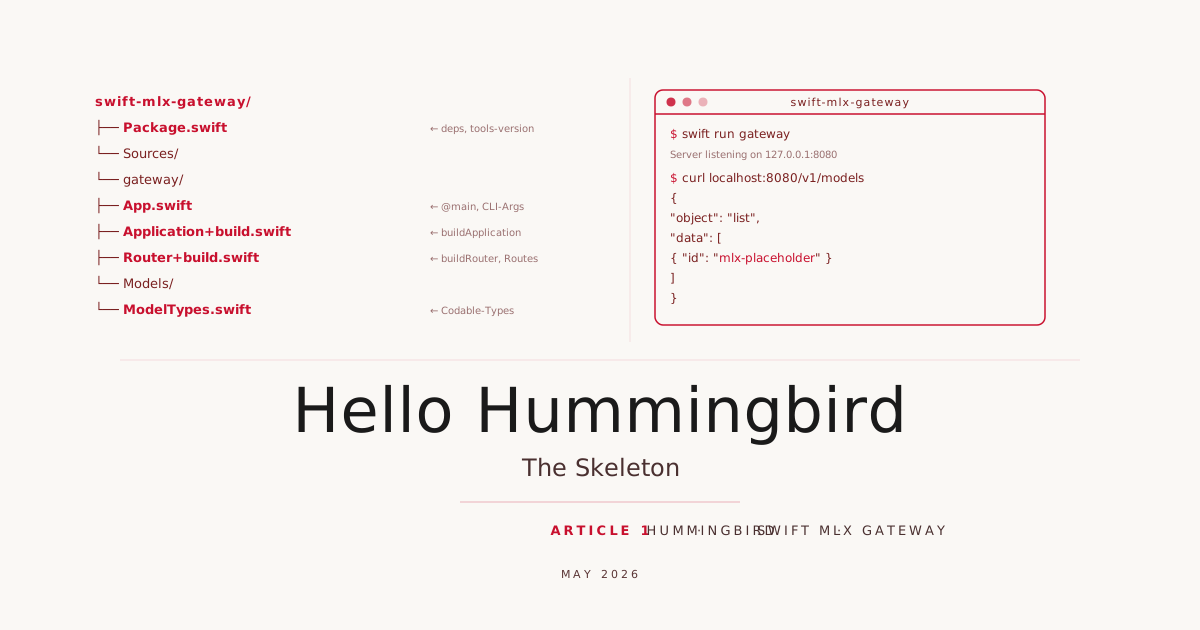
In the prologue we explained why we are building a local LLM gateway in Swift with Hummingbird and what it will look like in the end. In this article we start building. After these steps we have a working HTTP binary that responds to /healthz and /v1/models and accepts --host and --port arguments. No real model, no auth, no streaming. That comes in later articles.
Prerequisites
- Swift 6.x installed (
swift --versionshould show6.x) - IDE: Xcode 26 or VS Code (macOS), VS Code only (Linux/Windows)
- A Codeberg account and the
swift-mlx-gatewayrepository cloned
The code state for this article is available under the tag article-01.
Setting up the repository on Codeberg
One-time setup, only needed if you do not have the repository yet.
1. Create a Codeberg account
If you do not have one yet: codeberg.org → “Register”. Codeberg is a European, non-commercial Forgejo instance with no dependency on US cloud providers.
2. Add an SSH key (recommended)
# Generate an SSH key (if you do not have one yet)
ssh-keygen -t ed25519 -C "your@email.com"

# Display and copy the public key
cat ~/.ssh/id_ed25519.pub
Then in Codeberg: Settings → SSH Keys → Add Key.
3. Create the repository
On codeberg.org: “+” → “New Repository” → Name: swift-mlx-gateway, visibility as preferred, do not initialise with a README (we push our own first commit).
4. Clone
git clone git@codeberg.org:<your-username>/swift-mlx-gateway.git
cd swift-mlx-gateway
From here on we work in this directory. All article tags will be pushed to this repository.
Creating the Package
We start with swift package init in the repository directory:
swift package init --name gateway --type executable
This creates the standard structure: Package.swift, Sources/gateway/ with a ``gateway.swiftas a placeholder, andTests/. Instead of deleting gateway.swift`, we rename it, keeping the target valid in Xcode at all times.
mv Sources/gateway/gateway.swift Sources/gateway/App.swift
Opening in Xcode 26 (macOS only)
open Package.swift
# or
xed .
Xcode recognises Package.swift automatically and resolves the dependencies. Before the first build, open the scheme dropdown in the toolbar and select gateway. Only then do ⌘B (Build) and ⌘R (Run) work.
Opening in VS Code (macOS, Linux, Windows)
code .
The Swift extension (sswg.swift-lang) is required. After opening, the extension loads the package dependencies automatically. Start the server via the integrated terminal with swift run gateway. On Linux and Windows, VS Code is the only IDE option; anyone developing Swift on Windows has enough to deal with already.
Package.swift
The three dependencies the skeleton needs:
// swift-tools-version: 6.2
import PackageDescription

let package = Package(
    name: "gateway",
    platforms: [.macOS(.v26)],
    dependencies: [
        .package(
            url: "https://github.com/hummingbird-project/hummingbird.git",
            from: "2.0.0"
        ),
        .package(
            url: "https://github.com/apple/swift-log.git",
            from: "1.6.3"
        ),
        .package(
            url: "https://github.com/apple/swift-argument-parser.git",
            from: "1.3.0"
        ),
    ],
    targets: [
        .executableTarget(
            name: "gateway",
            dependencies: [
                .product(name: "Hummingbird", package: "hummingbird"),
                .product(name: "Logging", package: "swift-log"),
                .product(name: "ArgumentParser", package: "swift-argument-parser"),
            ]
        ),
    ]
)
platforms: [.macOS(.v26)] targets macOS 26 (Tahoe), the current release. For a new project in 2026, that is the right baseline. swift-tools-version:6.2 is required from Swift 6.2 (Xcode 26) onwards: only from this version are unsafe build flags in dependencies like swift-log no longer blocked. It also activates strict Swift 6 concurrency checking; errors surface at compile time, not at runtime.
The Entry Point
We create Sources/gateway/App.swift. This is the @main type; it receives CLI arguments and starts the server.
import ArgumentParser
import Hummingbird
import Logging

extension Logger.Level: @retroactive ExpressibleByArgument {}

@main
struct App: AsyncParsableCommand {
    @Option(help: "Hostname the server listens on")
    var host: String = "127.0.0.1"

    @Option(help: "Port the server listens on")
    var port: Int = 8080

    @Option(help: "Log level (trace/debug/info/warning/error)")
    var logLevel: Logger.Level = .info

    func run() async throws {
        let app = try await buildApplication(self)
        try await app.runService()
    }
}
AsyncParsableCommand from the ArgumentParser package is the cleanest way to bring CLI arguments into an async context. runService() starts the server and blocks until a signal arrives. Graceful shutdown is built in automatically.
Three arguments are sufficient for the skeleton:
--hostcontrols which interface the server binds to (127.0.0.1for local,0.0.0.0for all interfaces)--portsets the port--log-levelallows changing verbosity at runtime without rebuilding
Logger.Level is Codable and RawRepresentable with String, so ArgumentParser understands it directly.
Application+build.swift — A Useful Convention
App.swift contains only the entry point. The actual configuration lives in Sources/gateway/Application+build.swift. This separation appears in all official Hummingbird examples: App.swift stays small and stable, Application+build.swift grows with the project.
import Hummingbird
import Logging

protocol AppArguments {
    var host: String { get }
    var port: Int { get }
    var logLevel: Logger.Level { get }
}

extension App: AppArguments {}

func buildApplication(_ args: some AppArguments) async throws -> some ApplicationProtocol {
    var logger = Logger(label: "swift-mlx-gateway")
    logger.logLevel = args.logLevel

    let router = buildRouter()

    let app = Application(
        router: router,
        configuration: .init(
            address: .hostname(args.host, port: args.port)
        ),
        logger: logger
    )
    return app
}
The AppArguments protocol is not overhead: it makes buildApplication testable. In Article 6 we write tests that implement the protocol with a TestArguments struct, without needing to reference App directly.
Router+build.swift
buildRouter() lives in its own file Sources/gateway/Router+build.swift. This keeps Application+build.swift stable across all articles; new routes land exclusively in Router+build.swift.
func buildRouter() -> Router<BasicRequestContext> {
    let router = Router(context: BasicRequestContext.self)

    router.addMiddleware {
        LogRequestsMiddleware(.info)
    }

    router.get("healthz") { _, _ in
        HTTPResponse.Status.ok
    }

    router.get("v1/models") { _, _ in
        ModelList(
            object: "list",
            data: [
                ModelInfo(id: "mlx-placeholder", object: "model", ownedBy: "local")
            ]
        )
    }

    return router
}
The Codable types for the model list go in Sources/gateway/Models/ModelTypes.swift:
import Foundation
import Hummingbird

struct ModelList: Codable, ResponseGenerator {
    let object: String
    let data: [ModelInfo]

    public func response(from request: Request, context: some RequestContext) throws -> Response {
        let encoder = JSONEncoder()
        let data = try encoder.encode(self)
        return Response(
            status: .ok,
            headers: [.contentType: "application/json"],
            body: .init(byteBuffer: .init(data: data))
        )
    }
}

struct ModelInfo: Codable {
    let id: String
    let object: String
    let ownedBy: String

    enum CodingKeys: String, CodingKey {
        case id
        case object
        case ownedBy = "owned_by"
    }
}
Why ResponseGenerator instead of returning plain Codable? Hummingbird 2 can serialize Codable values automatically when the request context provides a matching encoder. BasicRequestContext defaults to JSON. The ResponseGenerator protocol is the explicit alternative: more readable, no implicit behavior.
LogRequestsMiddleware(.info) logs every incoming request with method, path, and status code. It costs nothing and saves many hours of debugging.
The mlx-placeholder model ID in the model list will be replaced in Article 3 by the actual configured MLX models read from a YAML file.
The First Start
swift run gateway
The first build takes a while because Swift Package Manager fetches and compiles all dependencies. Subsequent starts are significantly faster.
Once the server is running:
curl -s localhost:8080/healthz
# → 200 OK, empty body

curl -s localhost:8080/v1/models | jq .
Expected output:
{
  "object": "list",
  "data": [
    {
      "id": "mlx-placeholder",
      "object": "model",
      "owned_by": "local"
    }
  ]
}
To start with different parameters:
swift run gateway --host 0.0.0.0 --port 8081 --log-level debug
--help shows available options with their configured help texts.
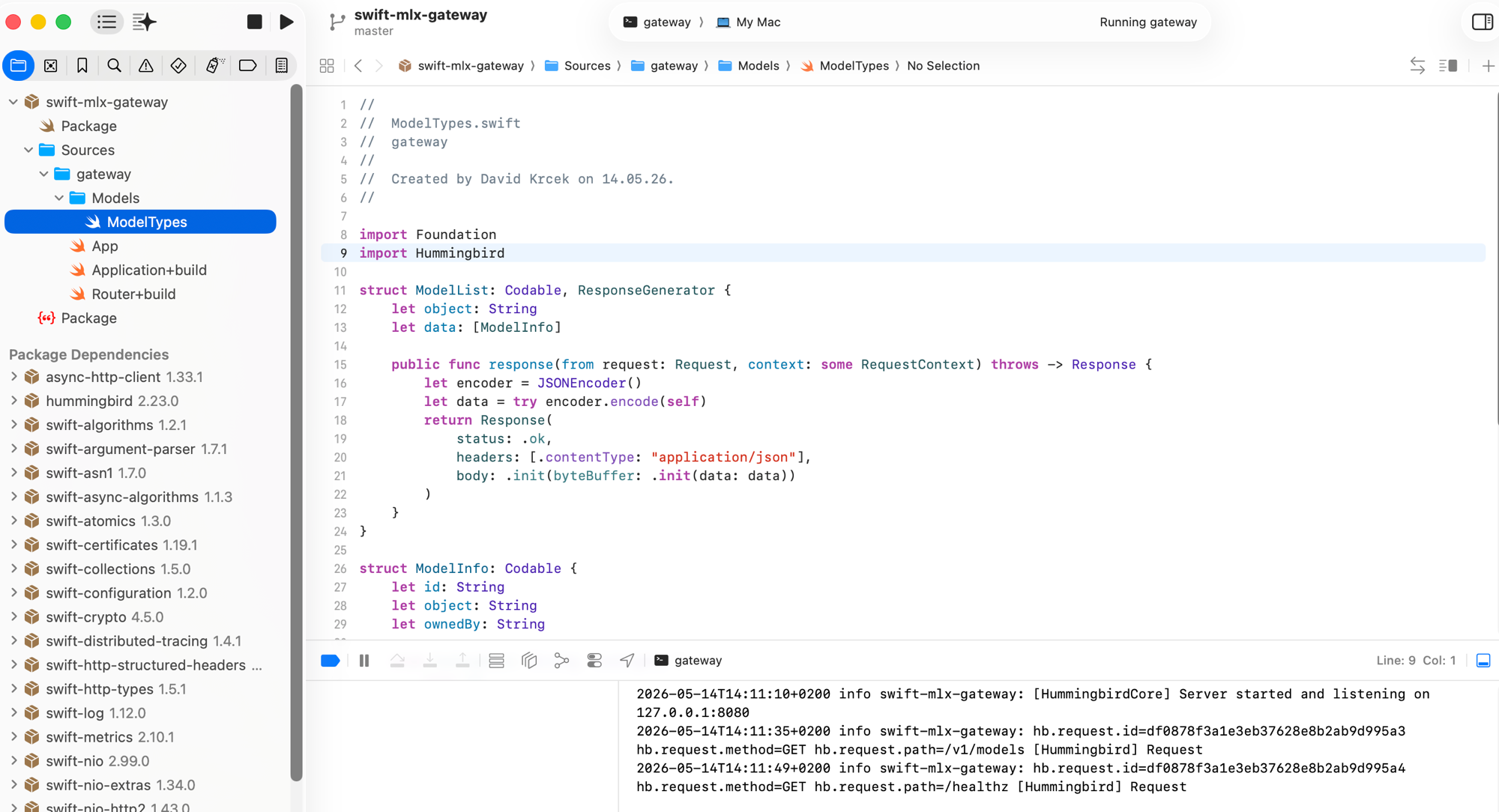
The log output shows the curl requests in real time: method, path, and request ID. Top right: “Running gateway”.
Five Files, One HTTP Server
| File | Content |
|---|---|
Package.swift | Dependencies, target configuration |
Sources/gateway/App.swift | @main, CLI arguments |
Sources/gateway/Application+build.swift | Server configuration, AppArguments |
Sources/gateway/Router+build.swift | Router, all routes |
Sources/gateway/Models/ModelTypes.swift | Codable types for /v1/models |
The skeleton has no business logic. That is intentional. Each piece has exactly one responsibility, and the separation of entry point, configuration, and types runs through the entire series.
In Article 2 we implement both protocols: first the Anthropic Messages API (/v1/messages) so Claude Code works, then the OpenAI-compatible interface (/v1/chat/completions) for Cursor, Aider, and other tools.
Commit and Push
Save this state as the article-01 tag and push to Codeberg:
git add .
git commit -m "article-01: Hello Hummingbird — the skeleton"
git tag article-01
git push origin main --tags
The article-01 tag marks exactly this state. Anyone joining the series at a later article can start from here:
git checkout article-01
Sources
- Hummingbird 2 Documentation, docs.hummingbird.codes
- Hummingbird Example Projects, GitHub
- swift-argument-parser, GitHub
- swift-log, GitHub
- Swift Static Linux SDK, swift.org
